PROJECT 002 / EXPERIMENTAL ANDROID WORKSPACE
LATERAL_
Keep the phone in your hand. Put the workspace in your glasses.
A dual-display workspace that makes an Android phone the control surface and VITURE Beast glasses the place where apps live.
Nubia NX789J · Android 15 · VITURE Beast · device-specific
THE IDEA
Two displays, one working space.
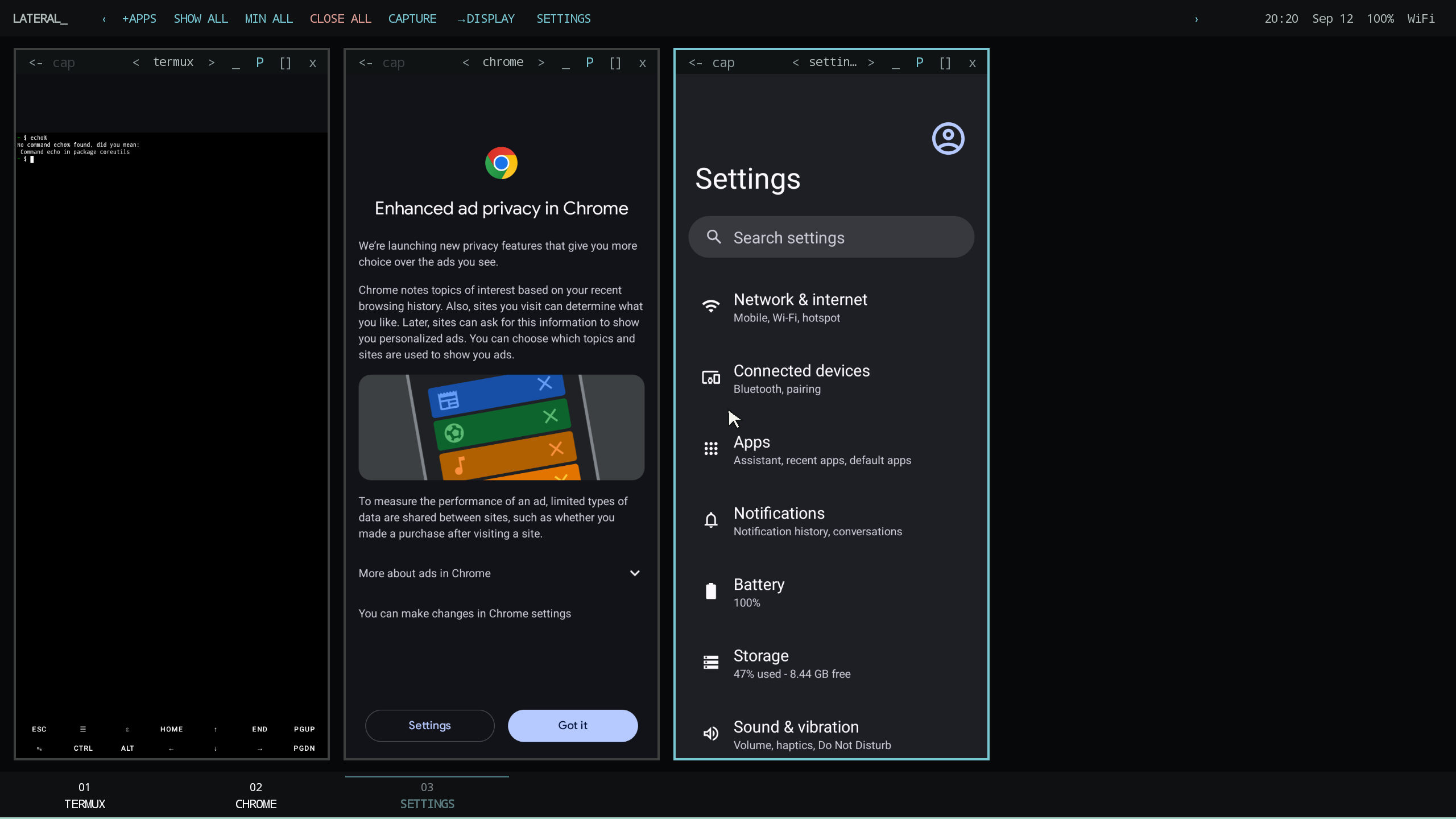
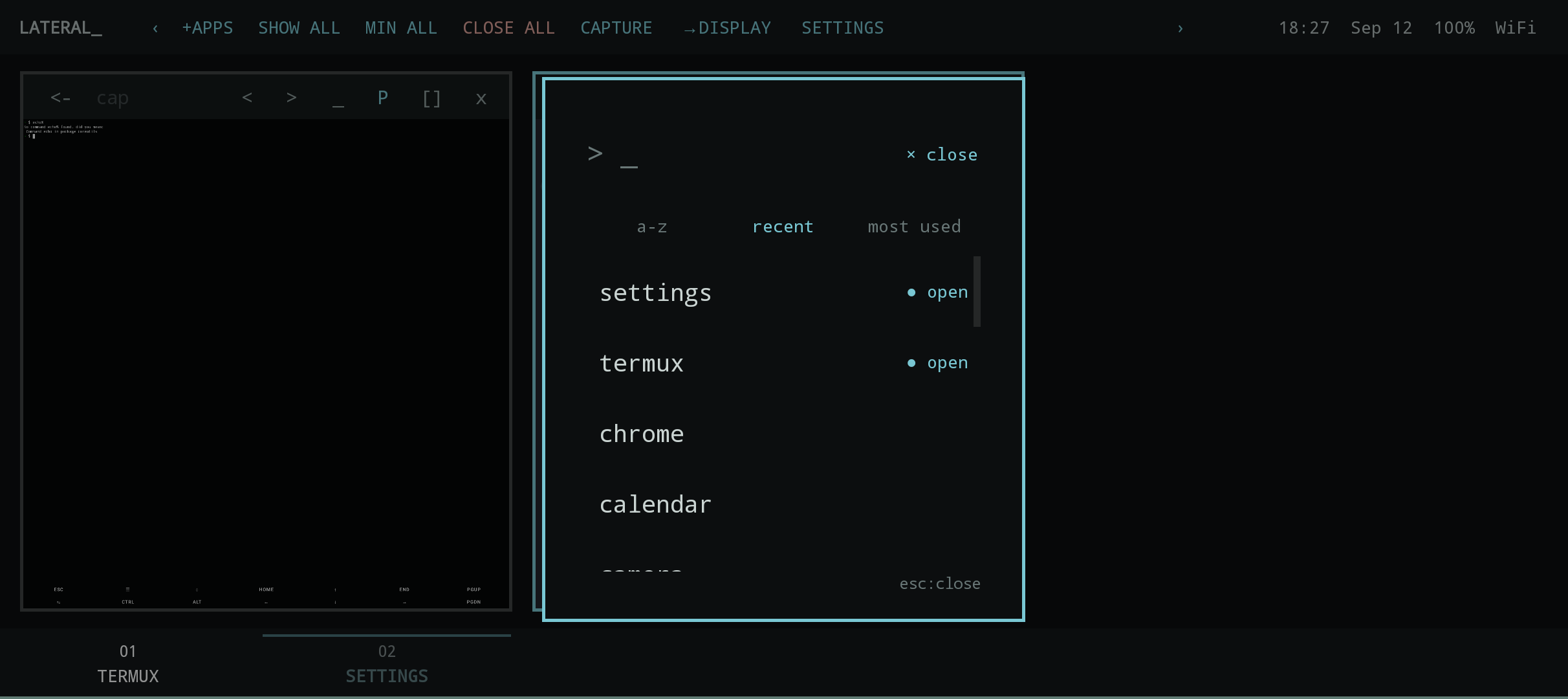
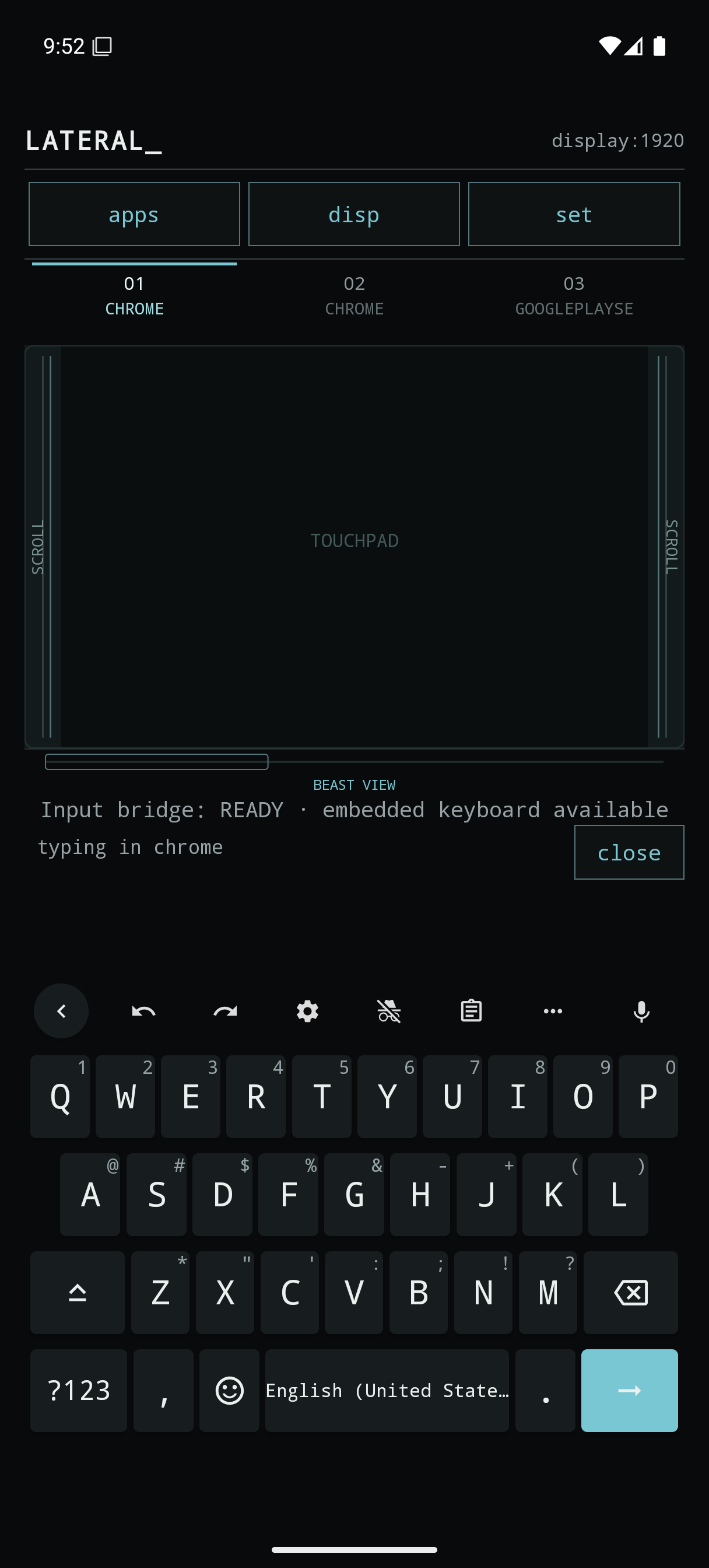
LATERAL_ is an experimental personal Android workspace. PhoneUI stays on the phone with a touchpad, launcher, task navigator, and input controls. BeastUI keeps an ordered horizontal strip of app tasks on the external display.
Android task IDs keep separate instances of an app distinct. You can move between tasks, minimize a card, use fullscreen, or close the exact task without force-stopping the whole app.
IN USE / DEVELOPMENT CAPTURES FROM THE ANDROID EMULATOR
See the workspace at work.
THE WORKFLOW
Connect, launch, steer.
01 / Connect
Connect the glasses and start the privileged helper through Android Wireless debugging for third-party app hosting.
02 / Arrange
Launch apps or select existing Android tasks. BeastUI tracks them in an ordered horizontal workspace.
03 / Control
Use the PhoneUI touchpad and task controls to navigate, minimize, fullscreen, or close an individual task.
When the external display is absent, PhoneView can run BeastUI fullscreen on the phone in landscape with an external keyboard and mouse.
STATUS / HARDWARE BOUNDARY
Built for a specific setup.
LATERAL_ is tested on a Nubia NX789J running Android 15 with VITURE Beast glasses. Other phones, Android versions, external displays, and firmware combinations are untested.
Hosting third-party apps needs the Wireless debugging helper. Device firmware and display behavior can affect input and hosting, so the privileged path should be rechecked after system updates.

